
Odoo on premise, as easy as in the cloud.
Everyone is moving Odoo to the cloud. With OmniaCLI you keep it on your own servers, with the same everyday comfort: deploy from git, a test instance beside production, neutralized copies, backups, logs and monitoring, all from one web page. On one server or on a fleet of VPS. Free software.
Documentation, installation and source code are on GitHub.
What you would use a cloud platform for, on your own machines.
The cloud made Odoo easy to run: push to git, try it on a staging copy, deploy, read the logs. OmniaCLI brings those everyday tasks to the servers you already own.
| In the cloud you | With OmniaCLI, on premise |
|---|---|
| deploy a git branch | Git pull + restart: only the modules that changed are updated; auto update in a time window if you want it |
| try a release on staging | a test instance beside production, then Merge test to production, after a backup |
| refresh staging with production data | Copy production to test, neutralized: no scheduled actions, no outgoing mail |
| download a backup | Backup + download of database and filestore, from the browser |
| read the logs and open a shell | the Odoo log live with an errors-only filter, and the server's shell, in the browser |
| watch the platform's health | CPU, memory, network and disks, with the day each disk will be full |
Your servers, your data, your rules
- The database and the files stay on your machines, in your network.
- You choose the hardware, the sizing and when to update.
- OmniaCLI is free software: nothing to rent, no lock-in.
Companies that keep Odoo in house, and the partners who run it for them
- One OmniaCLI per machine, all linked to yours: a single dashboard for your servers, your VPS and your customers' machines.
- Roles and workspaces decide who sees and does what.
From one machine to a fleet of VPS.
Install OmniaCLI on every server or VPS, then link them to one OmniaCLI of yours. Its Dashboard lists the servers of every machine, with their state and load, and every action runs on the machine it belongs to, recorded with who started it.
Every machine, one page
Each linked OmniaCLI is reached over HTTPS, a VPN or an SSH tunnel, with a token and a role of its own.
Servers that show only SSH
OmniaCLI keeps its own SSH tunnel open to them, with a key that allows that one forward and nothing else.
Behind a firewall
A machine nobody can reach is still operated through a relay on a public VPS: nothing connects to it.
Order in a long list
Servers and machines under groups and subgroups, by name or pattern, with a search that finds them by group too.
Between machines, Copy from link backs up a database on one machine, downloads it and restores it on another.
Ten customers, twenty Odoo instances, one terminal per server.
Running Odoo for many customers means the same steps on every machine, by hand, over SSH. OmniaCLI turns those steps into buttons, and keeps a record of every one.
SSH, git pull, -u, restart, repeat
- Log in to each server, pull each repository, find the modules that changed, update them, restart.
- Back up before a release, copy production into test, and remember to switch off its mail and scheduled actions.
- Tail the logs on the server to find out what went wrong.
One page, one button, one job log
- Git pull + restart updates only the modules that changed.
- Merge test to production backs up production first; Copy production to test neutralizes the copy.
- Every action is a job, shown live with its log; the Odoo log is in the browser, with an errors-only filter.
Production and test, side by side.
Each server has a production and/or a test instance. An instance is its git working copies, its database, its Odoo config, its log and its service.
Dashboard
Every server with the state of its Odoo and Start, Stop, Restart; the CPU, network and disks of the machine, with the day each disk will be full.
Deploy from git
Git pull with submodules, update of the changed or chosen modules, restart; auto update in a time window; merge of what was tested into production, after a backup.
Backups
Database and filestore, to download; optionally without the filestore or without the heavy binary columns.
Copy production to test
Neutralized: no scheduled actions, no outgoing mail. The test filestore can share production's files, taking no extra disk space.
Schedules
At the times of a crontab expression: a git pull, a copy of a linked instance's database, a Python script on an instance.
Jobs and logs
Every job shown live; an administrator stops one that hangs. The Odoo log in the browser, with an errors-only filter.
Links
Operate the OmniaCLI of other machines, your customers' too, from your own, with a token and a role.
Shell, Claude Code and MCP
The server's shell in the browser, Claude Code opened in an instance's folder, and an MCP endpoint through which AI clients read, update and back up test instances.
Users, roles and workspaces
Roles user, developer and admin, an access log, and workspaces: a customer's closed part of the machine, with its own servers and users.
What you see in the browser.
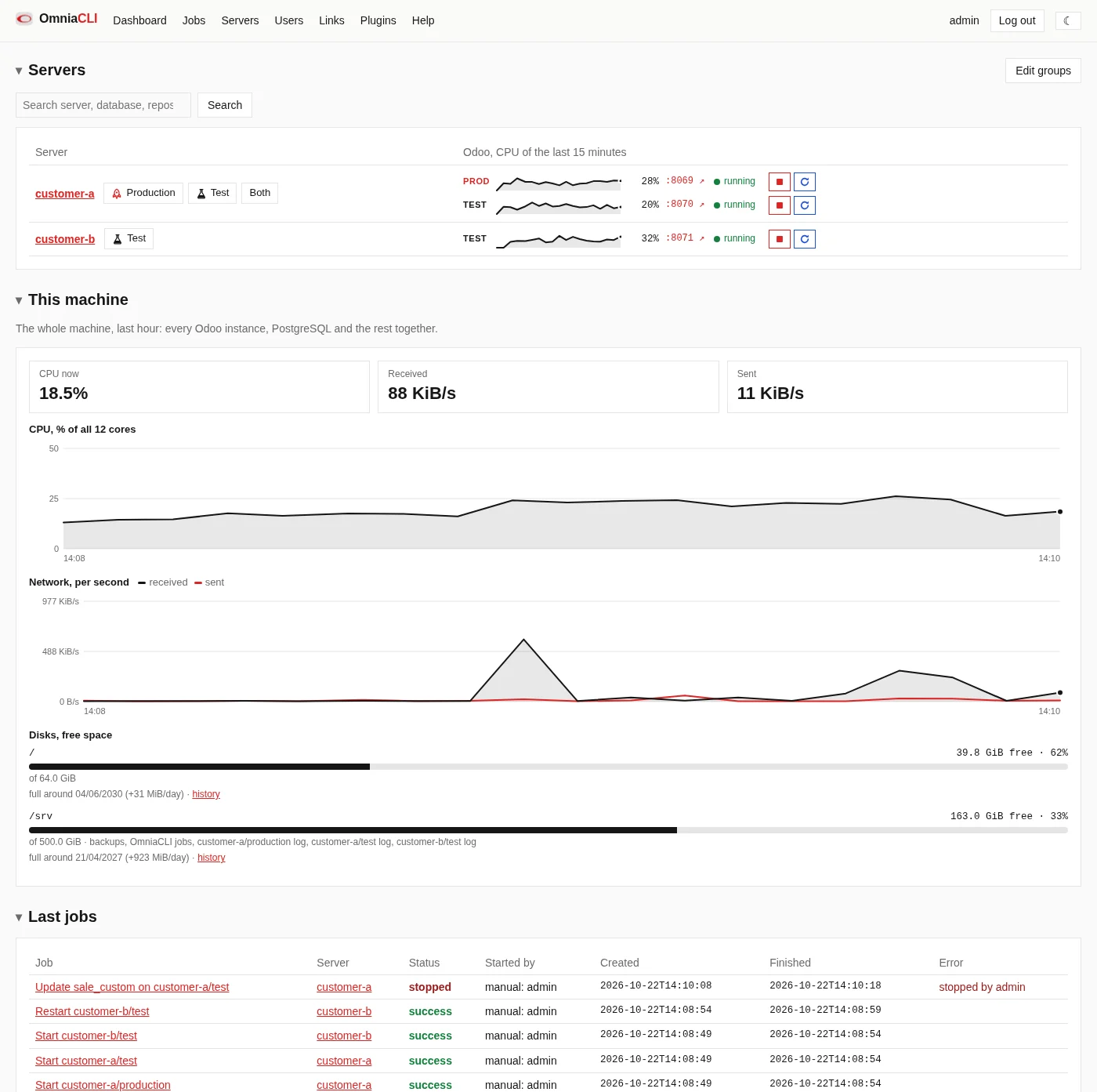
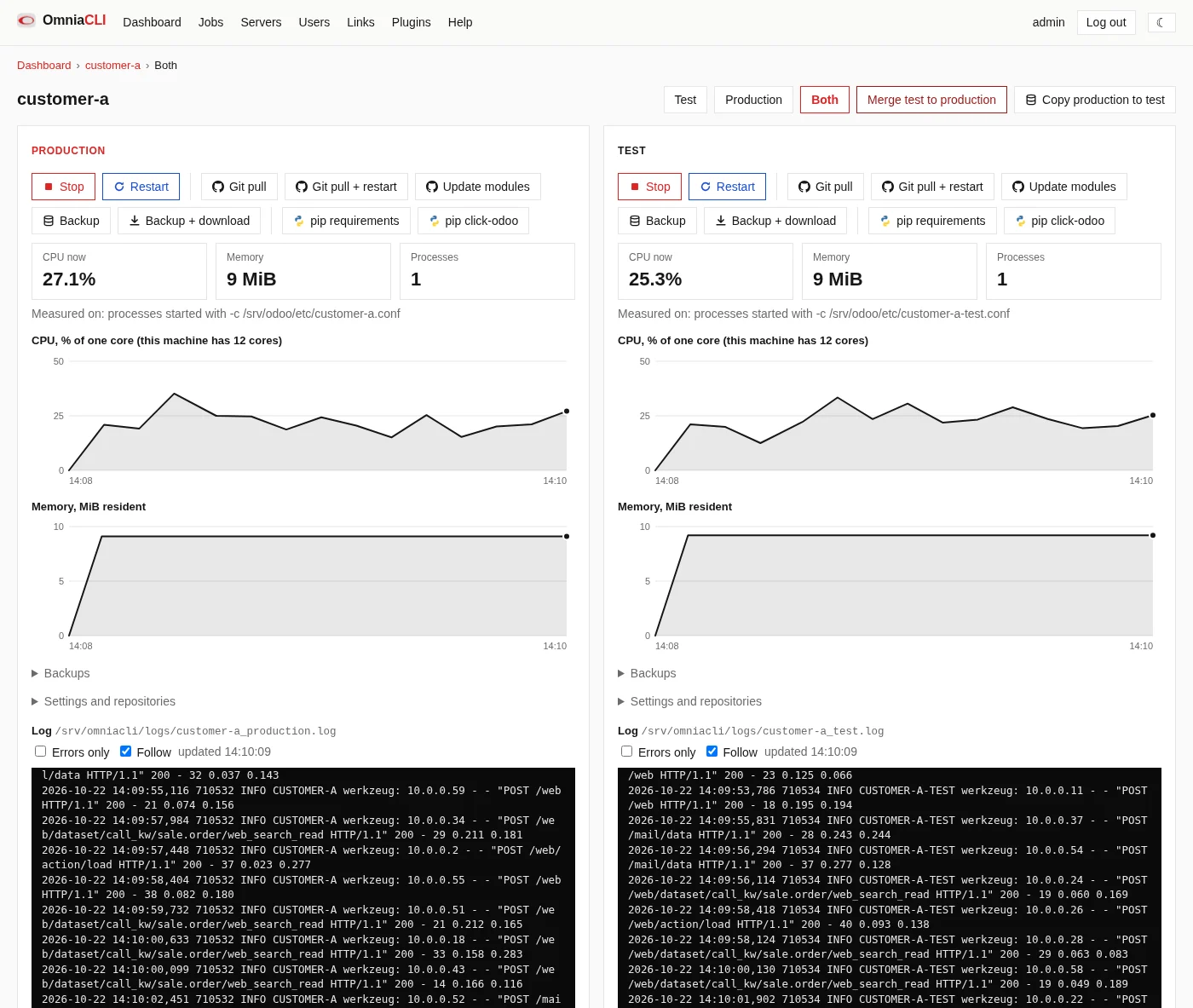
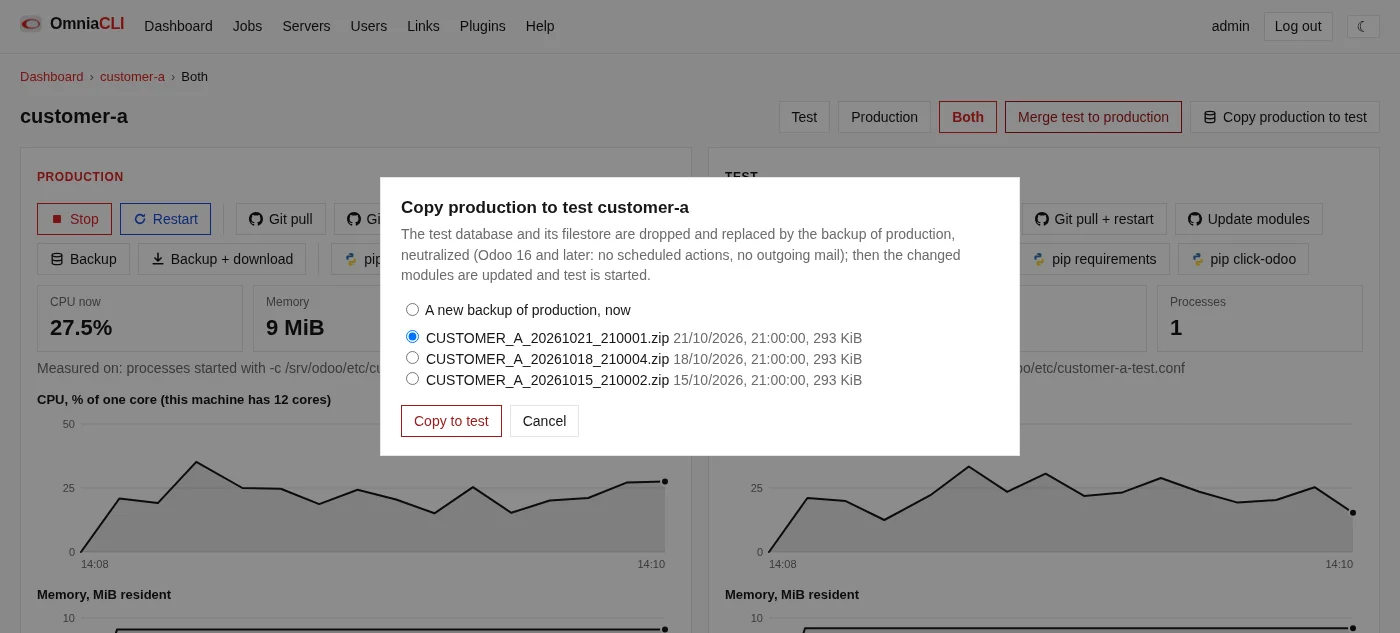
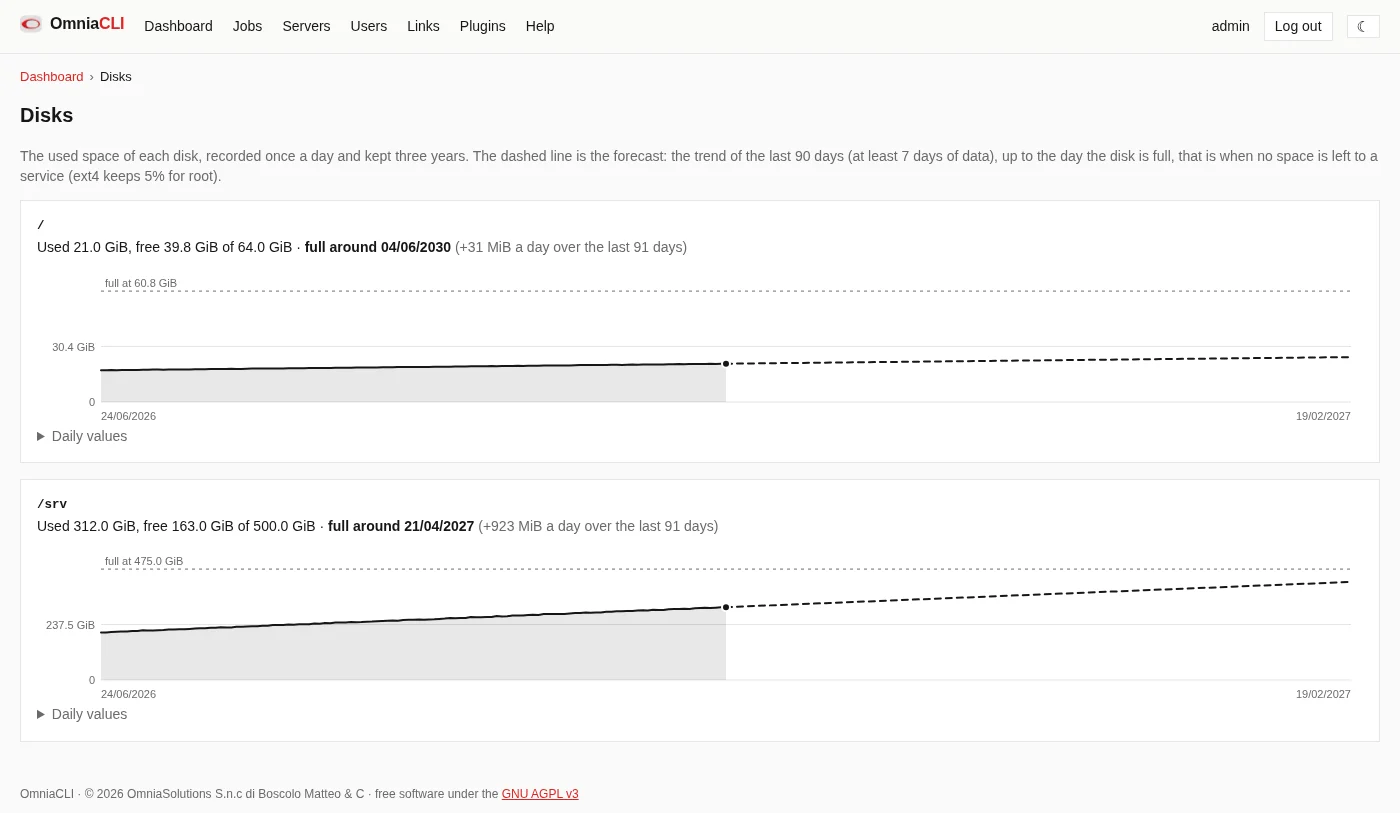
The screenshots show demo data.
No migration of your servers.
OmniaCLI works with the Odoo instances already on the machine. On a new machine, Discover finds them, from the running processes and the systemd units, and fills in their settings.
A systemd service
Started, stopped and measured on its unit.
An init.d script
Restarted with its script, measured on its processes.
Docker Compose
A compose project, with its log from docker compose logs.
Started by OmniaCLI
OmniaCLI starts odoo-bin itself.
A Debian package, about fifteen minutes.
The Quickstart on GitHub takes you from the package to the first job, step by step.
1 · The machine
Debian 11, 12, 13 or Ubuntu 22.04, 24.04 (amd64), with sudo, where your Odoo instances run.
2 · Install
Download the .deb from the GitHub releases and install it with apt.
3 · Put HTTPS in front
OmniaCLI listens on 127.0.0.1:8090 only: publish it through nginx or another reverse proxy with HTTPS.
4 · Add your servers
Log in as admin with the initial password the package writes, then Servers › Discover.
Full guide: Quickstart ↗ · Every option: README ↗
Free software, all of it.
OmniaCLI is released under the GNU Affero General Public License v3: use it, study it, change it and share it. Whoever runs a modified OmniaCLI for users over a network offers those users its source code.
Its work on the Odoo instances rests on click-odoo-contrib by ACSONE: thank you.
Want it set up on your servers?
OmniaCLI is free. If you prefer, we install it, put your Odoo instances under it and look after them with you.